
MamonApp

Features

Everything you need to understand everyday spending

MamonApp combines simple expense tracking with more detailed purchase data, shopping tools and reports. Use only the level of detail you need — from a quick expense entry to a product-by-product shopping history.

Quick expenses Detailed purchases Shopping lists Barcode scanning Reports XLSX export

Quick expense tracking

Record the expense before you forget it

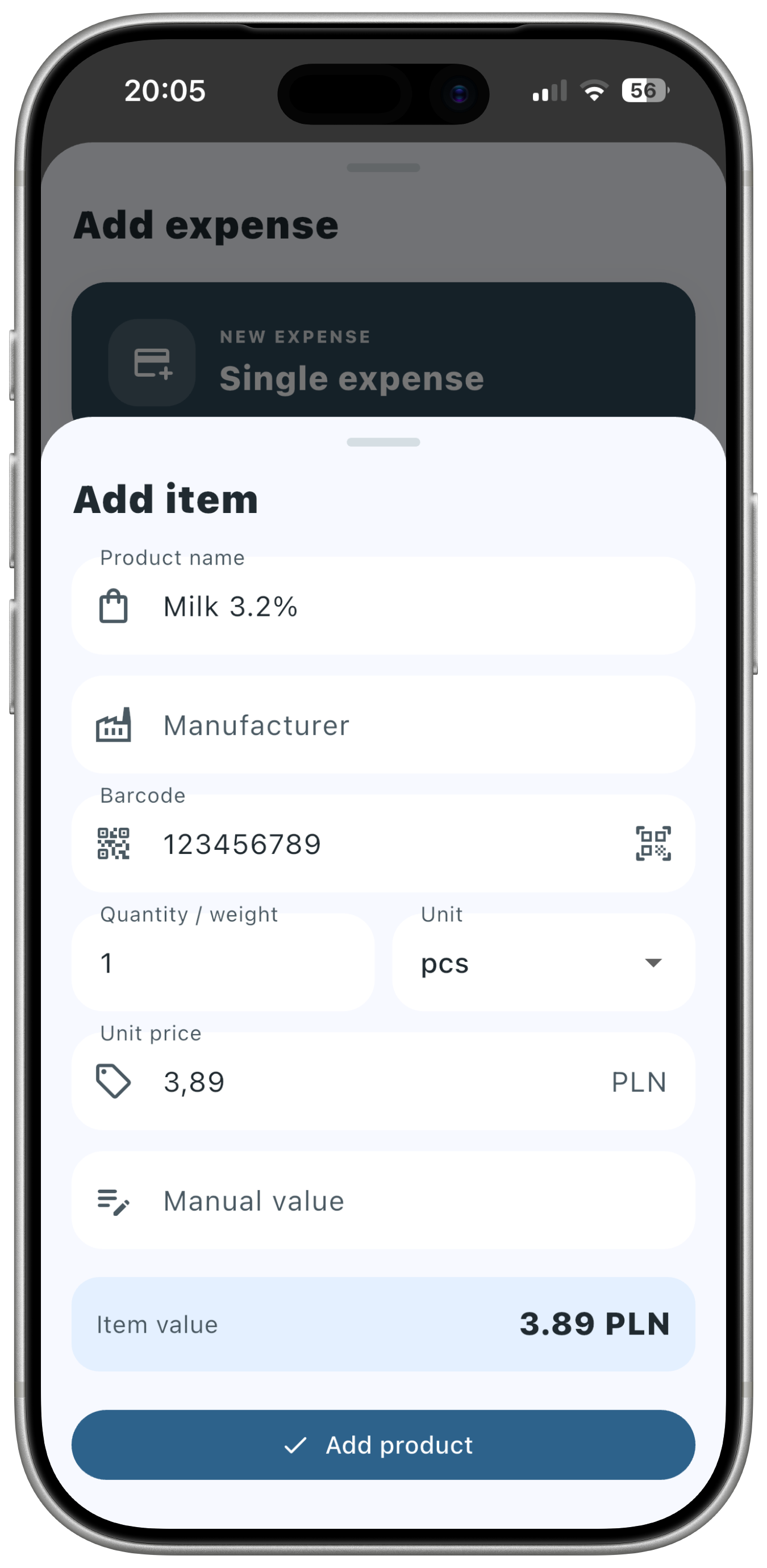
Not every expense needs a long form. When you only want to remember a cost, MamonApp lets you quickly add an amount and organize it into a category.

This works well for everyday costs such as coffee, parking, transport, subscriptions, bills or small purchases where the total amount matters more than the individual items.

Fast entry

Capture the essential information without turning expense tracking into bookkeeping.

Your categories

Organize spending in a structure that makes sense for your household.

Adding a quick expense in MamonApp
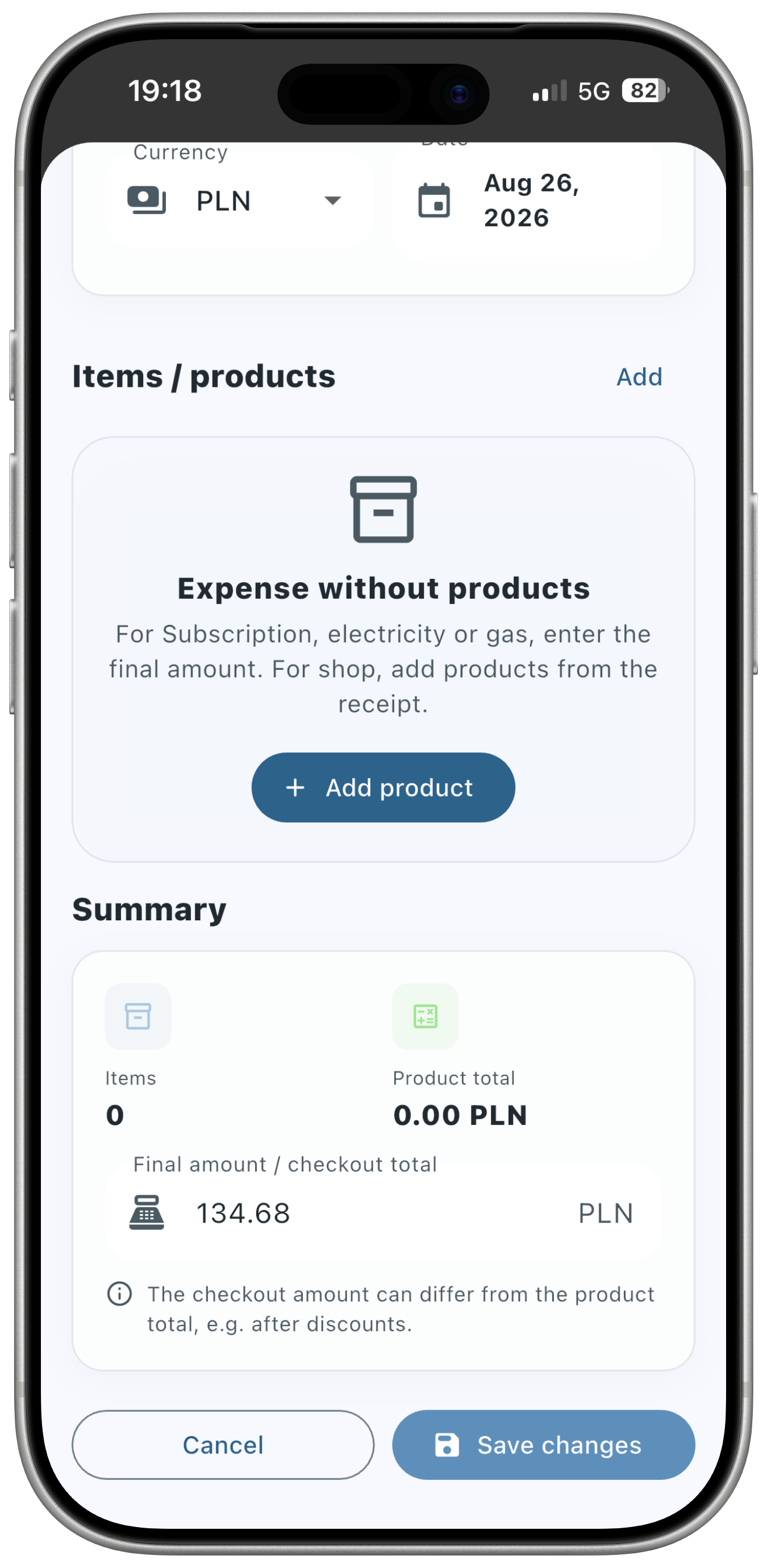
Detailed purchase with multiple products in MamonApp

Detailed purchases

Go beyond the total on the receipt

A receipt total tells you how much you spent, but not what made up that amount. MamonApp lets you save a purchase with multiple products, prices and quantities.

This is especially useful for groceries and household shopping, where a single purchase can contain food, cleaning products, cosmetics and other items with very different spending patterns.

Use detail only when it helps

You do not have to break down every expense. Use simple entries for routine costs and detailed purchases when you want a closer look at what you are buying.

Shopping lists

Plan the shopping trip and reuse the same list afterwards

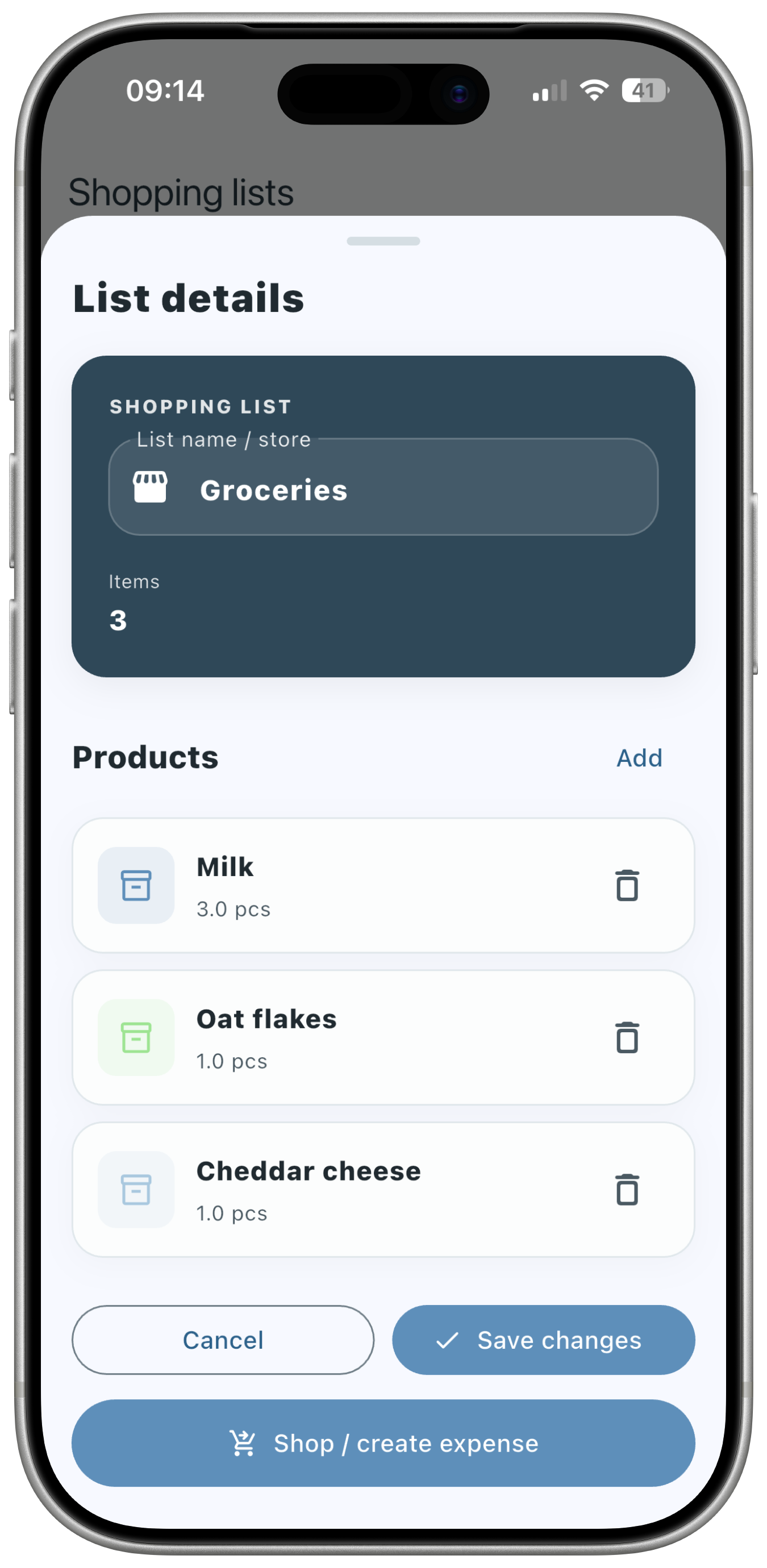
Build a shopping list before you leave home, use it while shopping and add prices as you go. When the trip is finished, turn the same list into an expense.

That means the list does not become useless at checkout. It becomes part of your expense history, reducing duplicate data entry and making shopping records more complete.

  1. 1

    Create the list

    Add the products you plan to buy.

  2. 2

    Update during shopping

    Add actual prices, quantities and product details.

  3. 3

    Save it as an expense

    Reuse the finished list instead of entering the purchase again.

Shopping list in MamonApp
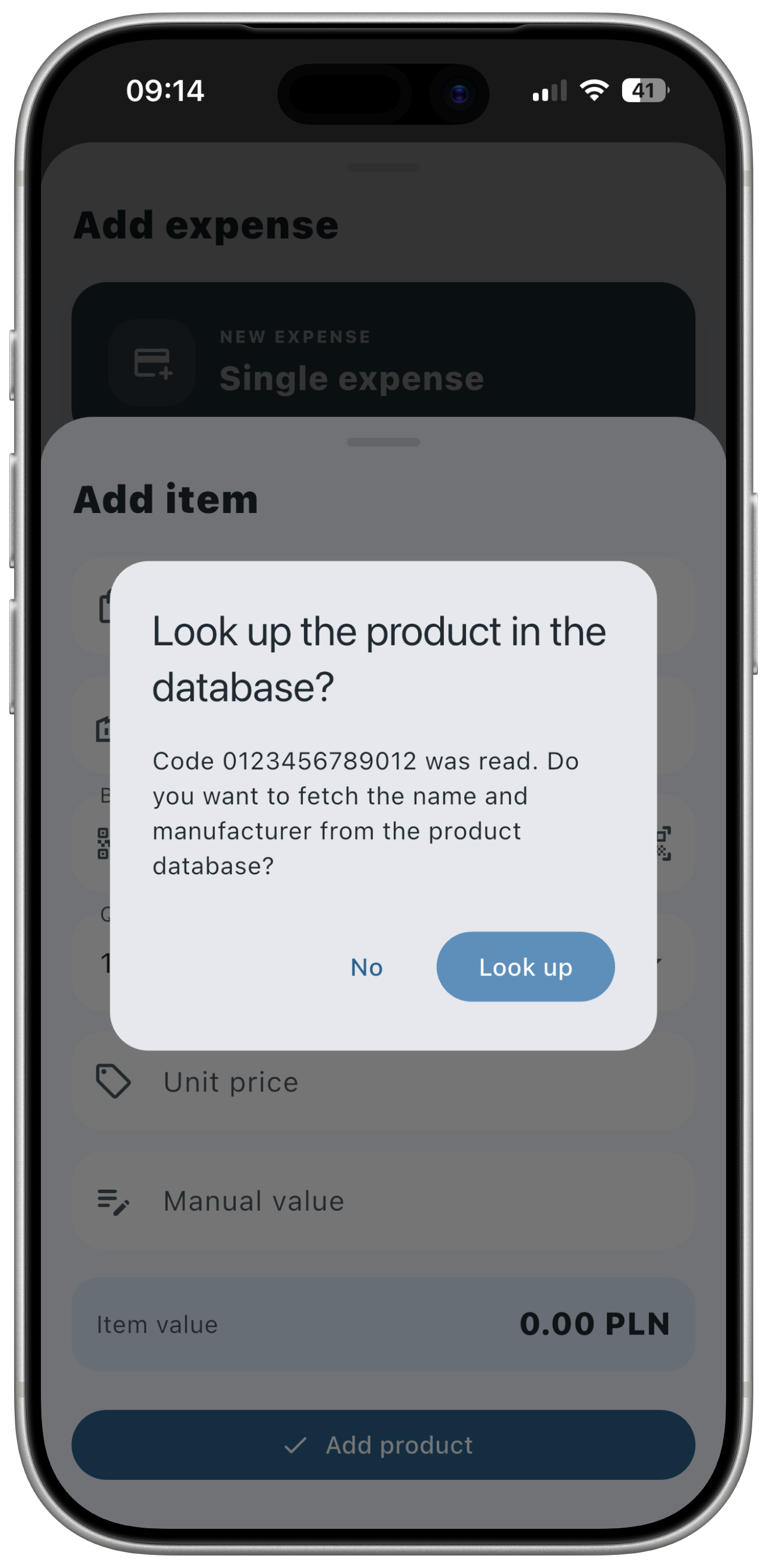
Barcode scanning in MamonApp

Barcode scanning

Scan products instead of typing everything from scratch

MamonApp can use the device camera to recognize product barcodes and search for matching product information.

When a product is already known, barcode scanning can speed up data entry. If a product is missing, you may be able to add product information so the same item can be easier to identify later.

Faster product entry

Use the barcode as the starting point instead of searching manually.

Shared product information

Product records can be reused when the same barcode appears again.

Categories

Organize expenses your way

Different households care about different things. Custom categories let you decide how your spending should be grouped — whether you want broad categories such as groceries and transport or a more detailed structure.

The point is not to create as many categories as possible. The point is to create categories that help you answer useful questions later.

History

Return to earlier expenses when you need context

Your expense history becomes more useful over time. Use filters to review selected periods or parts of your spending instead of scrolling through everything.

This can help when you want to revisit a specific purchase, compare months or check how often a certain type of expense appears.

Reports

Turn a list of expenses into something you can understand

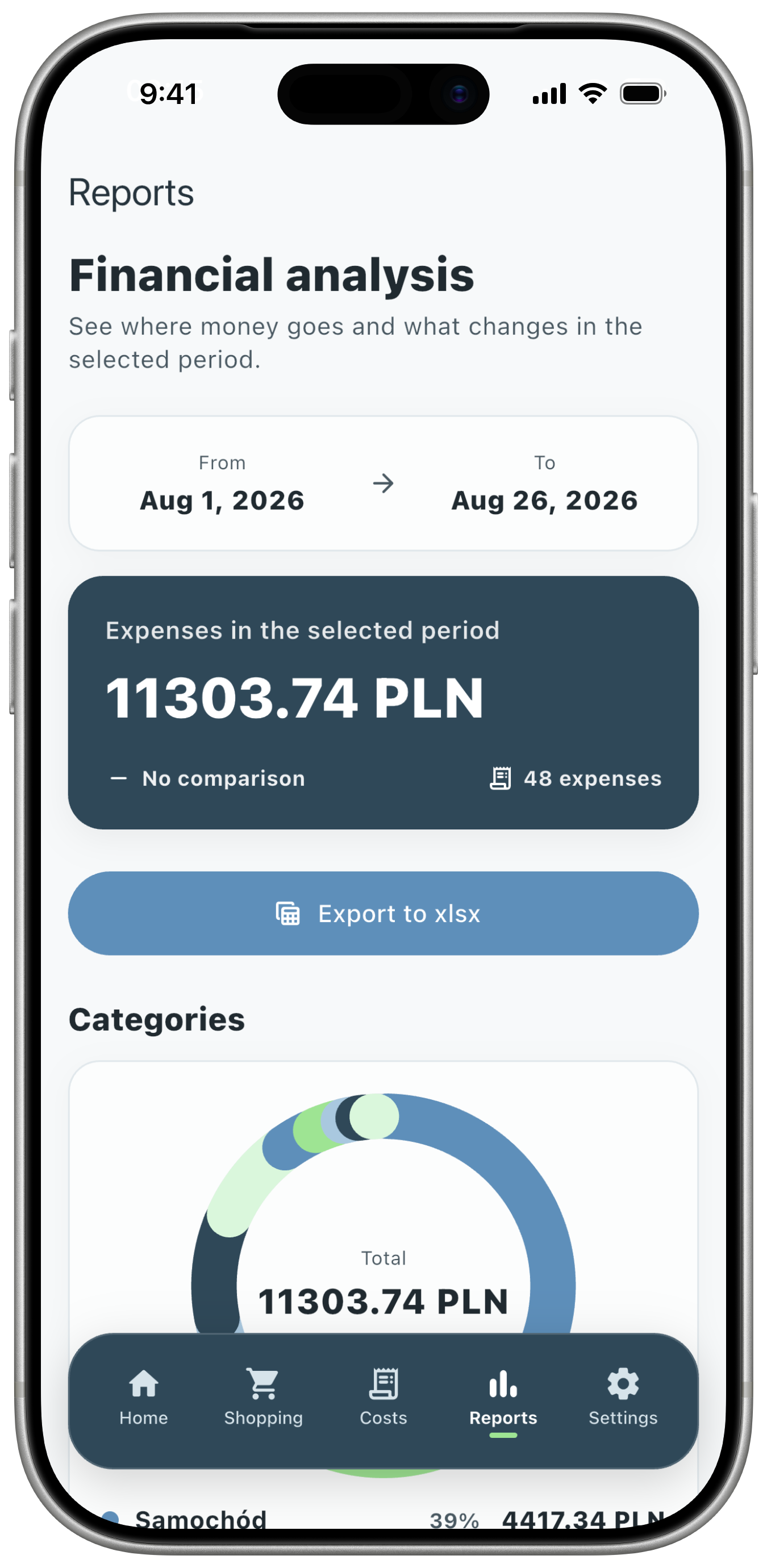
Recording expenses is only the first step. Reports help you see how much you spent and how different categories contribute to the overall picture.

Instead of relying on memory, you can review the actual data and spot categories that are larger, more frequent or more surprising than expected.

Amounts

See how much money was spent in each category.

Category share

Understand which categories account for the largest part of your spending.

Expense reports in MamonApp

XLSX export

Continue the analysis in your own spreadsheet

MamonApp can export expense history to XLSX. This gives you the option to move from everyday mobile tracking to custom analysis in Excel, Numbers or another compatible spreadsheet application.

Export can be useful for year-end reviews, custom charts, household reporting or simply keeping an additional copy of your own data.

iCloud

Keep backups within the Apple ecosystem

Depending on your device and Apple Account settings, MamonApp data can be covered by Apple iCloud storage or backup mechanisms.

Frigg Systems does not upload your household expense database to its own servers as part of this backup process.

Read the Privacy Policy

Privacy-first approach

Expense tracking without handing over your bank account

MamonApp is designed around manual expense tracking. You decide what to record, and the application does not require access to your online banking or income data for its core expense tracking workflow.

No bank connection required

Record the expenses you choose without granting access to your bank account.

No income required

Focus on spending without entering salary or account balance information.

Local expense data

Household expense information is generally stored locally on your device.

How the features work together

One workflow from planning to analysis

MamonApp is most useful when the individual features become one simple routine: plan what you need, record what you bought and review the result later.

01

Plan

Create a shopping list before you go.

02

Record

Add quick expenses or detailed purchases.

03

Organize

Use categories and history to keep spending structured.

04

Understand

Review reports or export the data when you need deeper analysis.

Start with one expense. Build a clearer picture over time.

Use MamonApp as simply or as thoroughly as you need - from quick expense tracking to detailed shopping records and long-term analysis.